Answering tickets Reply in languages you don’t write.
A ticket arrives in German. You reply out loud in English. What lands in the reply box is German, ready to send.
Put your cursor in the reply box.
It can be a help-desk tool in your browser, a shared inbox or a chat console. Cluinn types where your cursor already is, so any of them works as it is.
The help desk gets its own voice.
Give a persona your help desk’s website and replies there get a careful, warm tone on their own, while your team chat stays short and direct. Teach the dictionary your product names, SKUs and error codes, and it spells them your way.
It writes in the language on your screen.
When you start speaking, Cluinn sends a picture of the window to our servers once, only to tell which language the ticket is in, and doesn’t keep it. Then it writes your reply in that language, or in one you’ve set for every reply.
Each reply is kept, with its translations.
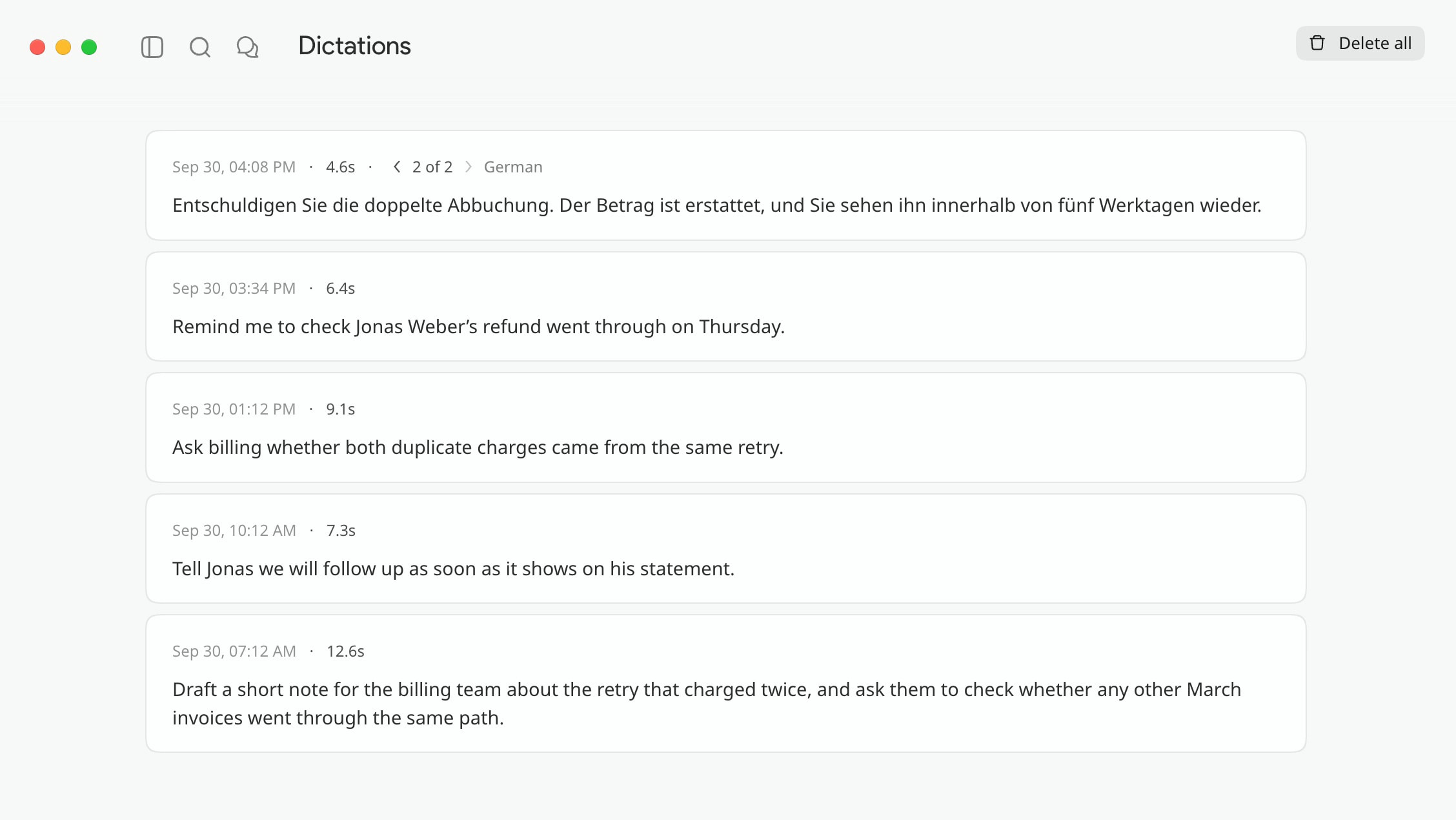
Every reply you dictate is kept in Dictations as it was typed. If the customer writes back in German, translate that reply and the German version stacks beside the original, ready to copy.
Your macros become things you say.
Save the refund policy paragraph, the escalation boilerplate or the shipping-delay note as a snippet, and one short spoken trigger types it all, up to 10,000 characters, exactly as saved: never reworded or translated.
What it doesn’t do
Cluinn doesn’t connect to your help desk. It types into whatever field your cursor is in, which is why it works the same in every tool, and why it has no access to your help desk’s data and can’t set a status or send anything. You press Send. Smart translation also needs the macOS Screen Recording permission (Screen & System Audio Recording on macOS 15 and later), because identifying the language means looking at the window once per reply; without it, pin a target language instead and everything else still works.
Common questions
Do I need to speak the customer’s language?
No. You speak the language you think in and Cluinn writes the one on your screen. To skip detection, pin a target language and it uses that every time.
Does it translate while I’m talking?
No. You finish the thought, then it transcribes it and writes it in the target language.
Does it work with Zendesk, Intercom, Front or a shared inbox?
It works with all of them, because it isn’t connected to any of them. Cluinn types where your cursor is, so any reply box in any browser tab or app behaves identically.
Will it change our approved wording?
Not in a snippet. Snippets are pasted exactly as saved: never reworded, never translated. Only your own spoken sentences get the persona treatment.
Is there a limit on how much I can dictate?
A single recording has a maximum length far longer than any ticket reply, and dictation has a monthly allowance and a daily ceiling, both far above normal use and there only to stop abuse. The figures are in the fair-use section of our Terms.